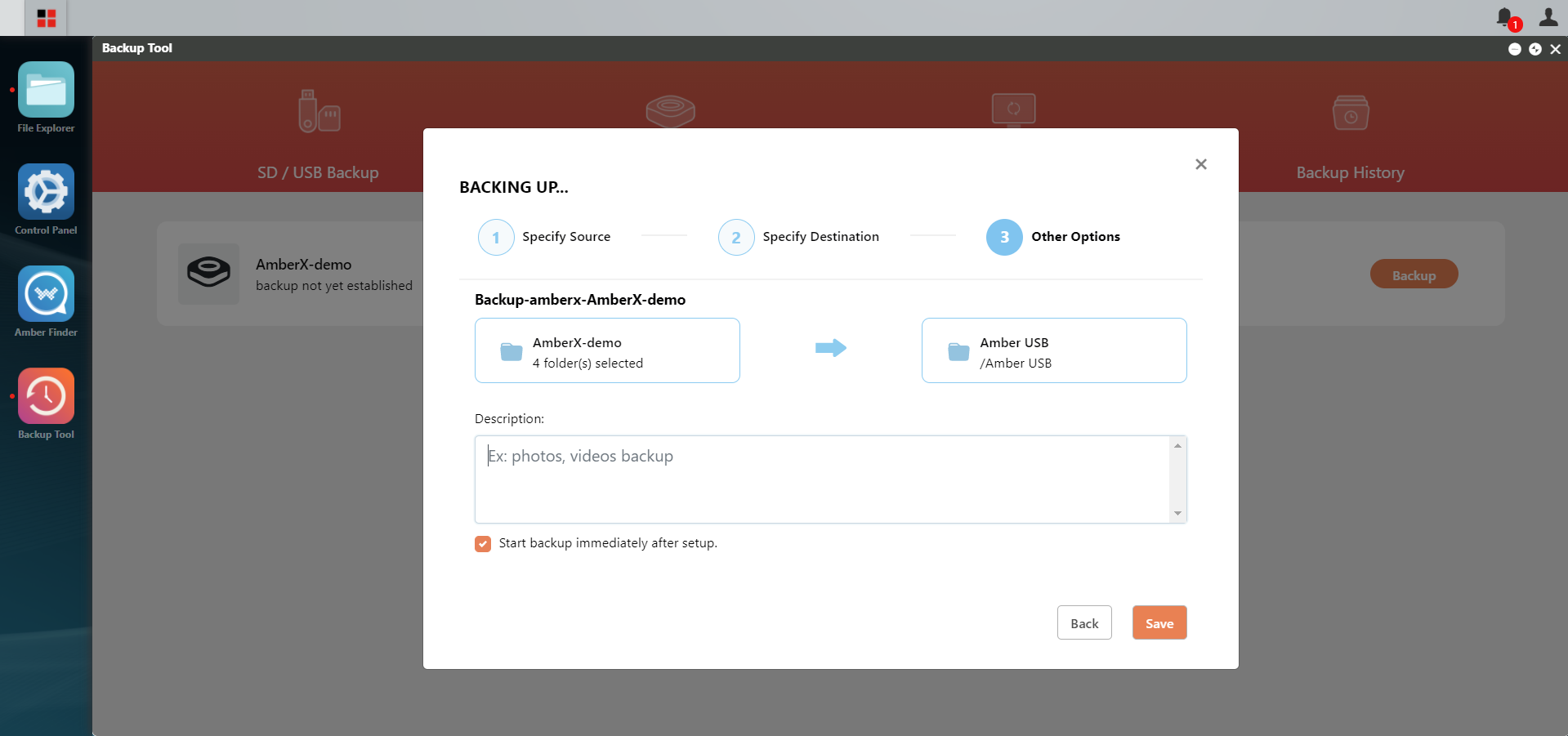
Backup Amber X to SD/USB Storage

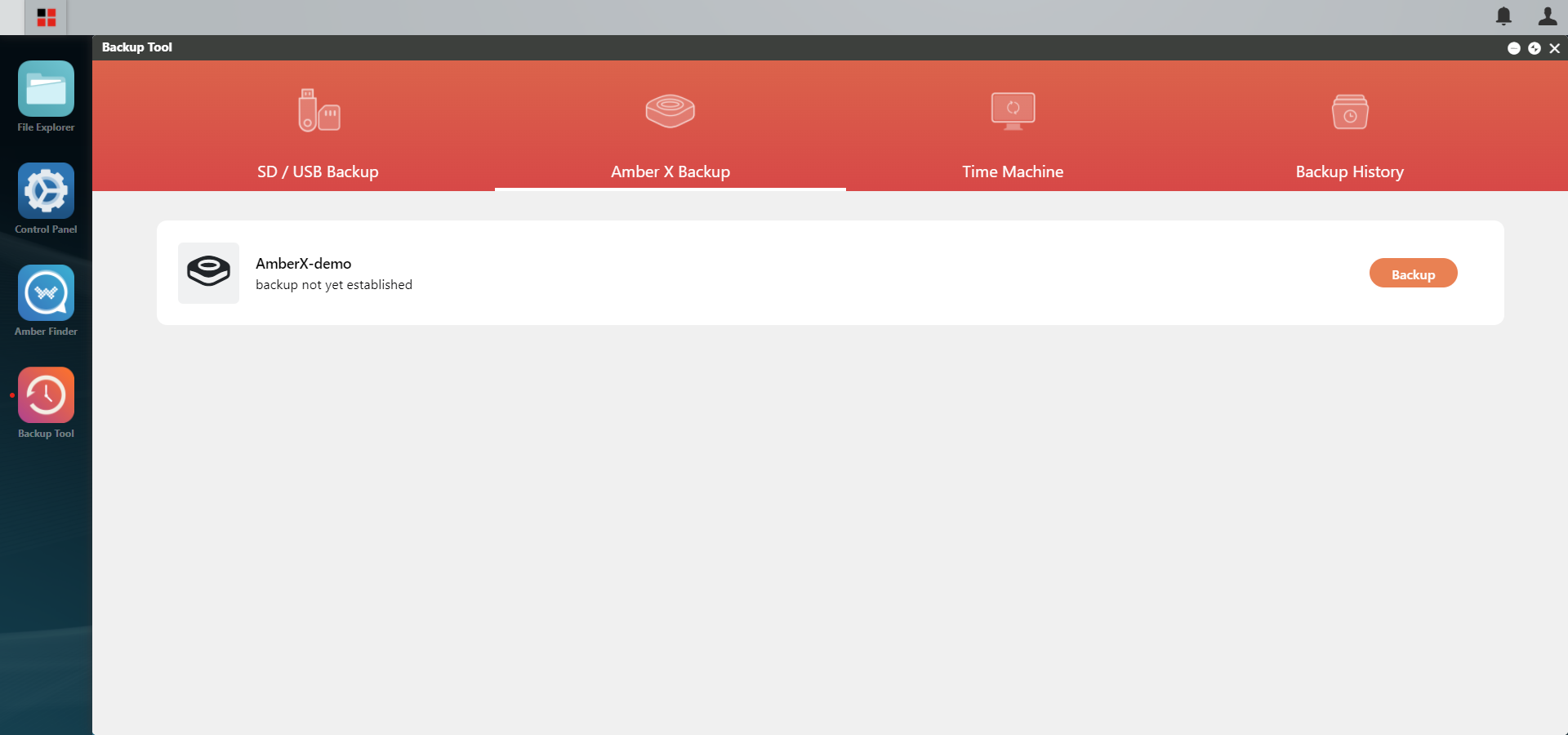
In Amber X OS (http://latticenode.local), go to Backup Tool → Amber X Backup and click Backup.
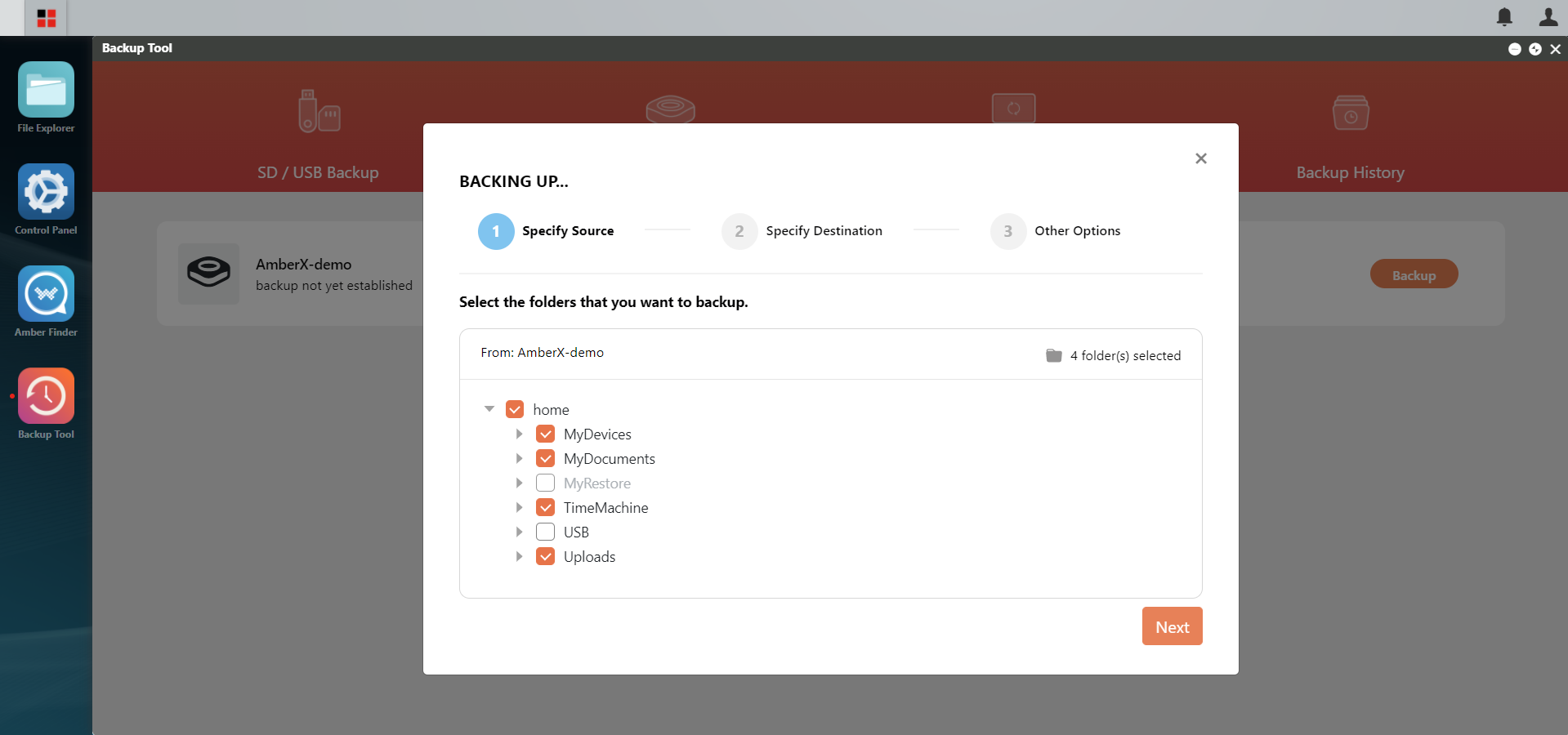
Select the folders you want to backup and click Next.
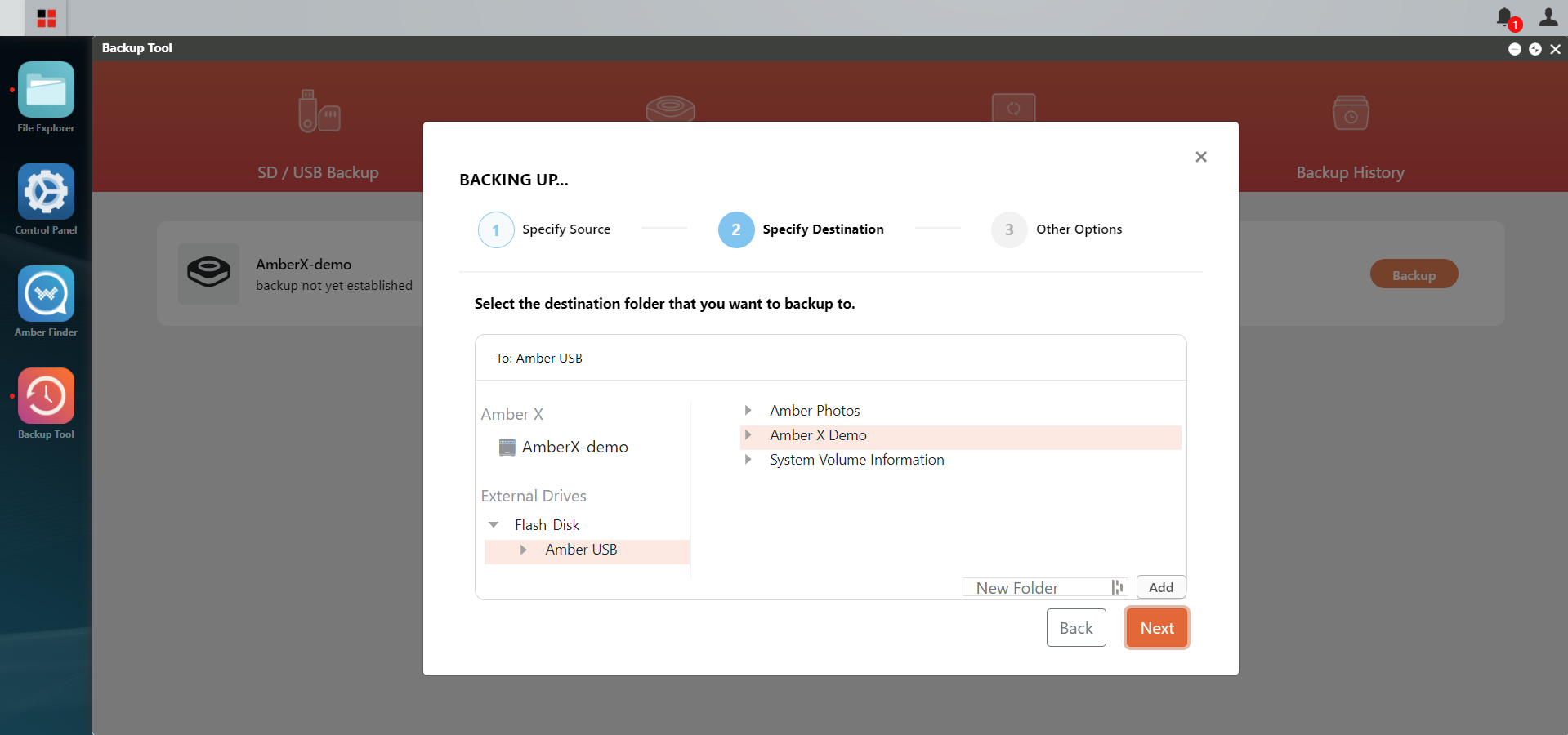
Select the backup destination and click Next.
Enter a description (optional) and click Save.